No products in the cart.
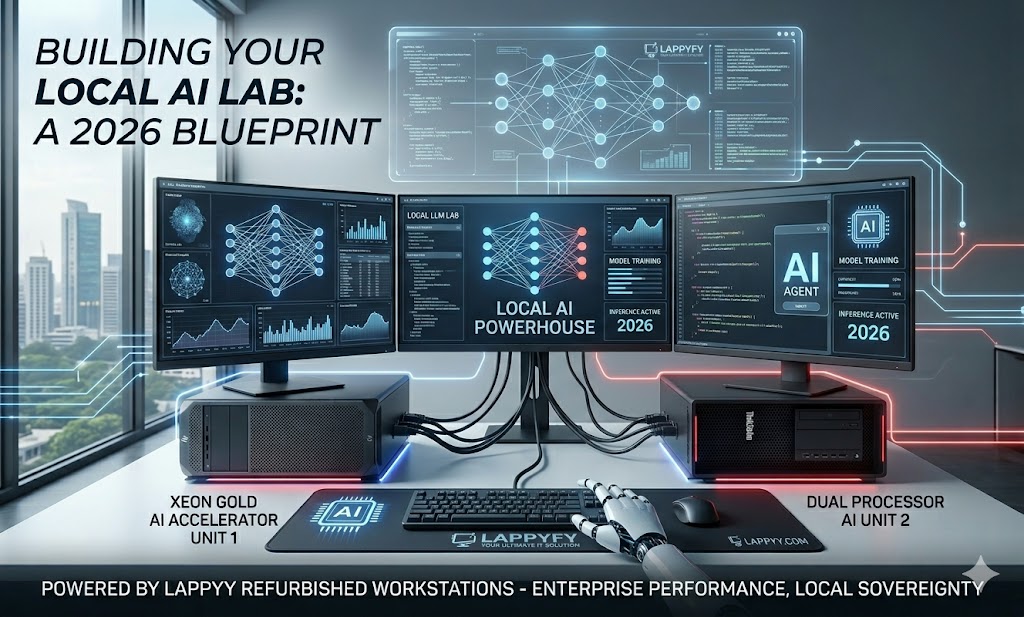
Lets start your journey on How to Build a Local AI Lab with Refurbished Workstations in 2026
The AI revolution is no longer confined to the cloud. In 2026, data privacy, latency concerns, and the rising costs of API tokens have led professionals to a powerful realization: Running local LLMs (Large Language Models) is the future. But you don’t need to spend millions on a server farm to get started. You can build a high-performance AI development lab using the robust, enterprise-grade hardware found in Refurbished Workstations. Here is your blueprint for building a local AI powerhouse on a budget.
Why Go Local for AI?
Running models like Llama 3, Mistral, or Stable Diffusion locally offers three massive advantages:
- Data Sovereignty: Your sensitive data never leaves your hardware.
- Zero Latency: Real-time processing without waiting for cloud queues.
- Cost Efficiency: One-time hardware investment vs. recurring monthly cloud bills.
Phase 1: Choosing the Right “Brain” (The Processor)
AI workloads require high core counts and massive multi-threading capabilities. Standard consumer i5 or i7 chips often struggle with the sustained thermal load of training or fine-tuning models.
- The Gold Standard: Look for machines equipped with Intel Xeon Gold or Dual Processor setups. These are designed for 24/7 computation.
- Top Recommendation: The Lenovo ThinkStation P720 is a beast for AI. With its Xeon Gold architecture, it handles the complex matrix mathematics required for neural networks with ease.
Phase 2: Memory is King (RAM & VRAM)
When it comes to AI, you can never have enough memory.
- System RAM: Aim for at least 64GB to 128GB of ECC RAM. The Dell Precision Tower 7920 is an excellent choice here, as its dual-processor board allows for massive RAM expansion.
- VRAM (GPU): This is where the actual “thinking” happens. You’ll want a workstation that can house professional-grade GPUs. Models like the Dell Precision Tower 5810 come with Nvidia Quadro cards, which are optimized for stability and precision in AI calculations.
Phase 3: Thermals and Stability
AI models generate intense heat. A standard “gaming PC” might throttle (slow down) to protect itself.
Workstations like the HP Z4 G4 are engineered with advanced thermal pathways and cooling shrouds. This allows you to run an AI training script overnight without worrying about the system overheating or crashing.
Building Your AI Stack (The Software)
Once you have your Lappyfy workstation, here is how to set it up:
- OS: Install a stable Linux distro (like Ubuntu 24.04) for the best driver support.
- Environment: Use Docker and NVIDIA Container Toolkit to keep your AI environments isolated.
- Tools: Install Ollama or LM Studio to run local LLMs with a user-friendly interface.
The Verdict: Price vs. Performance
| Hardware Path | Cost (Approx) | Performance for AI |
| Brand New AI Rig | ₹4,50,000+ | Top Tier |
| Refurbished ThinkStation P720 | ₹85,000 | High Tier (Best Value) |
| High-end Consumer Laptop | ₹1,50,000 | Low Tier (Thermal Throttling) |
By choosing a refurbished workstation, you are essentially getting a professional-grade AI lab for the price of a mid-range consumer laptop.
Ready to start your AI journey?
Check out our latest arrivals of Refurbished Workstations and build your local lab today!